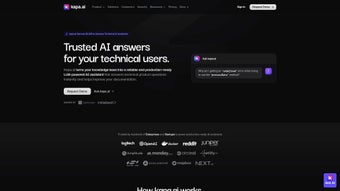

Download Kapa.ai – AI‑Powered Support for Developers
Overview
Kapa.ai is a cloud‑native, AI‑driven support platform built specifically for developer‑focused teams. Leveraging OpenAI’s latest large language models, Kapa.ai can ingest a broad spectrum of technical content—official documentation, internal chat logs, GitHub issues, Stack Overflow threads, and even private knowledge bases—to generate instant, context‑aware answers. The platform’s primary goal is to eliminate the time developers waste searching for solutions, allowing them to stay in the flow of coding while the AI handles routine queries.
Early adopters such as OpenAI, Next.js, and a range of SaaS providers report faster ticket resolution, higher user satisfaction scores, and a noticeable decline in repetitive support requests. Kapa.ai’s architecture is designed for scalability: it can connect to more than 40 data sources, push responses through Slack, Discord, Microsoft Teams, Zendesk, Intercom, or embed a widget directly into product documentation. An intuitive admin console lets administrators fine‑tune bot behavior, schedule model updates, monitor interaction analytics, and collect real‑time feedback.
Security is baked in, with end‑to‑end encryption, GDPR compliance, and optional on‑premise deployment for highly regulated environments. In essence, Kapa.ai consolidates fragmented support knowledge into a single, searchable AI assistant that grows alongside your organization, delivering faster, more accurate help without the need for a large dedicated support team.
Features, Benefits, and Pros / Cons
Kapa.ai packs a powerful set of capabilities that address the most common pain points of developer support. The AI engine, powered by ChatGPT, delivers human‑like responses that are continuously refined through a built‑in feedback loop. Integration flexibility means you can pull knowledge from virtually any tool your team already uses, while the analytics dashboard surfaces documentation gaps, enabling product teams to proactively improve content. Security and compliance are also top‑of‑mind, with encryption at rest and in transit, role‑based access controls, and the option to run the entire stack within a private VPC or on‑premise Kubernetes cluster. Below is a detailed feature list followed by a balanced view of the platform’s strengths and potential drawbacks.
- AI‑Driven Chatbot Engine: Powered by ChatGPT and fine‑tuned on your proprietary data, delivering accurate, context‑aware answers.
- Multi‑Source Integration: Connects to over 40 technical sources, including GitHub, GitLab, Confluence, Notion, Swagger, and public documentation sites.
- Channel Flexibility: Deploy bots to Slack, Discord, Microsoft Teams, Zendesk, Intercom, or embed directly into your product docs.
- Automatic Model Updates: Scheduled refreshes keep the underlying LLM current with the latest improvements and security patches.
- Analytics Dashboard: Real‑time metrics on query volume, response accuracy, user satisfaction, and detection of documentation gaps.
- Feedback Loop: End‑users can rate answers, triggering a retraining pipeline that refines future responses.
- Role‑Based Access Control: Granular permissions let admins, developers, and support agents manage bot behavior without exposing sensitive data.
- Scalable Architecture: Built on Kubernetes, supporting auto‑scaling to handle spikes in developer traffic.
- Secure Data Handling: End‑to‑end encryption, GDPR compliance, and optional on‑premise deployment for regulated industries.
- Customizable UI Widgets: White‑label chat windows that match your brand’s look and feel.
What Developers Love (Pros)
- Instant, AI‑driven answers keep developers in the coding flow, reducing context‑switching.
- Broad integration ecosystem pulls knowledge from virtually any source you already use.
- Self‑learning feedback loop continuously improves answer accuracy without manual curation.
- Robust analytics surface documentation gaps, enabling proactive content improvements.
- Secure, GDPR‑compliant architecture satisfies enterprise risk and compliance requirements.
Potential Drawbacks (Cons)
- Initial data ingestion can be time‑consuming for organizations with large, fragmented knowledge bases.
- Subscription‑based pricing may be a hurdle for very small startups or hobby projects.
- The AI may occasionally generate plausible‑but‑incorrect answers, requiring human verification for critical queries.
- On‑premise deployment demands Kubernetes expertise and operational overhead.
- Deep UI customizations may require front‑end development resources.
Installation, Usage & Compatibility
Kapa.ai is designed for rapid onboarding while still offering the depth required by enterprise teams. The process begins with a simple account creation, followed by connecting your data sources, configuring the bot, and deploying it to your preferred channels. Detailed step‑by‑step instructions ensure that even teams with limited DevOps resources can get up and running in under an hour.
Step‑by‑Step Setup
- Create an Account: Visit the Kapa.ai website, register with your corporate email, and verify the account via the confirmation link.
- Connect Data Sources: In the admin console, go to Integrations and select the sources you need (GitHub, Confluence, Swagger, etc.). Authenticate using OAuth or API tokens; Kapa.ai will automatically crawl and index the content.
- Configure the Bot: Choose a name, avatar, default language, and the primary communication channel (Slack, Discord, Teams, etc.). Set up webhooks for real‑time interaction.
- Enable Automatic Updates: Activate the Scheduled Model Refresh feature and pick a cadence (daily, weekly, or custom) that matches your release schedule.
- Deploy the Widget (Optional): For embedded help, copy the generated JavaScript snippet and paste it into the footer of your documentation site or product portal.
- Test in Sandbox: Use the built‑in sandbox to ask sample questions, review responses, and fine‑tune the knowledge base before going live.
- Monitor & Optimize: After launch, review the Analytics Dashboard daily, identify high‑frequency queries, adjust source weighting, and collect user feedback to improve relevance.
For on‑premise deployments, Kapa.ai provides a Docker‑Compose file and Helm chart. Pull the image from the private registry, configure your docker-compose.yml with the license key, and run docker compose up -d. The same admin console is accessible via a secure URL (e.g., https://your‑domain.local), and all integrations work identically to the SaaS version.
Because Kapa.ai is a web‑based solution, it runs on any modern browser (Chrome, Edge, Firefox, Safari) across Windows 10/11, macOS Ventura and later, Linux distributions, and mobile browsers on iOS and Android. The backend can be hosted on AWS, Azure, GCP, or on‑premise Kubernetes clusters, giving you flexibility to meet performance and compliance needs.
Minimum client‑side requirements include JavaScript ES6 support, WebSocket capability for real‑time chat, and TLS 1.2+ for secure communication. Server‑side prerequisites for self‑hosted setups are Docker Engine 20.10+, Docker Compose 2.0+, Kubernetes 1.21+ (if using Helm), at least 4 vCPU and 8 GB RAM for moderate traffic, and PostgreSQL 13+ for persistent storage. All external integrations require outbound HTTPS access and read‑only API tokens wherever possible to uphold the principle of least privilege.
Frequently Asked Questions
Below you’ll find answers to the most common questions about Kapa.ai. Each response is crafted to help you quickly understand the platform’s capabilities, pricing, security, and deployment options.
Can Kapa.ai be used with private repositories?
Yes. Kapa.ai supports OAuth and personal access tokens for private GitHub, GitLab, and Bitbucket repositories. The platform only reads documentation and issue data; it never writes back, ensuring your code stays secure.
How does Kapa.ai ensure the AI doesn’t leak confidential information?
All data ingestion happens behind your firewall or within your chosen cloud region. Kapa.ai encrypts data at rest and in transit, and the LLM inference can be run in an isolated VPC or on‑premise, eliminating the risk of external exposure.
Is there a free tier or trial available?
Kapa.ai offers a 14‑day free trial with full feature access. After the trial, plans start at $49 per month for small teams, with volume discounts for enterprise deployments.
Can I customize the tone and style of the chatbot’s responses?
Absolutely. Within the Bot Settings, you can provide style guides, example Q&A pairs, and even set a “personality” parameter that influences the language model’s output to match your brand voice.
What kind of analytics does Kapa.ai provide?
The analytics dashboard shows query volume, average response time, satisfaction scores (thumbs‑up/down), top‑asked questions, and heatmaps of documentation gaps. Reports can be exported as CSV or integrated via API into existing BI tools.
Conclusion & Call to Action
Kapa.ai delivers a compelling blend of AI intelligence, integration breadth, security, and operational insight that directly addresses the frustrations of modern developer support. By turning scattered documentation into a single, searchable assistant, it shortens resolution times, lowers support costs, and empowers engineering teams to focus on building features rather than hunting for answers. Whether you choose the fully managed SaaS offering or the on‑premise option for maximum control, Kapa.ai scales with your organization and adapts as your knowledge base evolves.
Ready to give your developers the help they deserve? Start your 14‑day free trial today, explore the feature set, and see measurable improvements in support efficiency within the first week of deployment. For enterprises that require strict compliance, the private‑cloud or on‑premise deployment ensures you retain full data sovereignty while still benefiting from cutting‑edge AI.
Kapa.ai stands out as a mature, secure, and highly extensible AI support solution. Its ability to learn from proprietary data while providing deep analytics makes it a strategic investment for any development organization looking to reduce support overhead and improve developer productivity.



.png)



